StoreSoftware 13

Software 13 Suzuki UY125 R5F10

Offline Windows software for the supported Suzuki UY125 dashboard BIN file. Review the supplied interface and instrument references before ordering.

Vehicle
Suzuki UY125 R5F10
Device
Anytool can read the normal .bin file out
Operation
Offline Windows

PC-bound activation with permanent offline use on the activated computer. Contact us to confirm compatibility and price.

Use your intended Windows PC and keep an untouched copy of the original BIN file. Confirm the exact activation terms before purchase. Purchase details

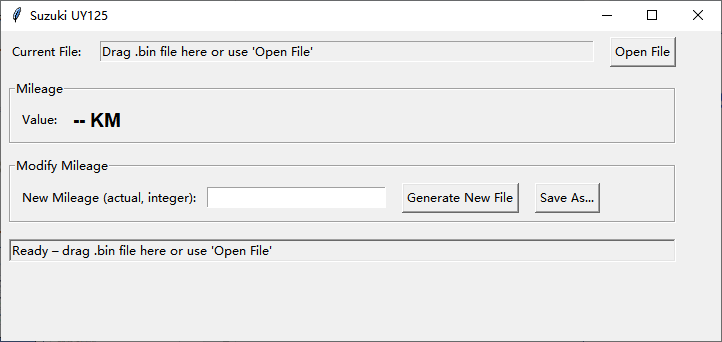
Software 13 ready screen with drag-and-drop and Open File options

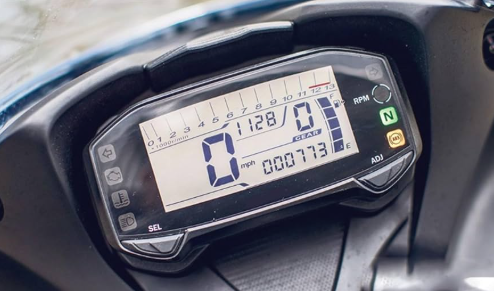
Suzuki UY125 dashboard application

Confirm the complete device marking, instrument identification and required BIN-file format before ordering.

VehicleModuleRead requirement
Suzuki UY125 R5F10Instrument clusterAnytool can read the normal .bin file out

Software Activation & Usage Guide for all software

Use these three steps when activating purchased software.

No.RequirementDetails
1PC Binding RequirementThe software must be bound to a specific PC for use. Don't reinstall the system.
2Offline OperationThis is an offline version—no internet connection is required.
3Activation StepsDownload and open the software.
Copy the displayed PC code and send it to us.
We will provide a key to unlock the software.
Once unlocked, it can be used permanently until that PC is no longer usable.

Normal BIN-file workflow

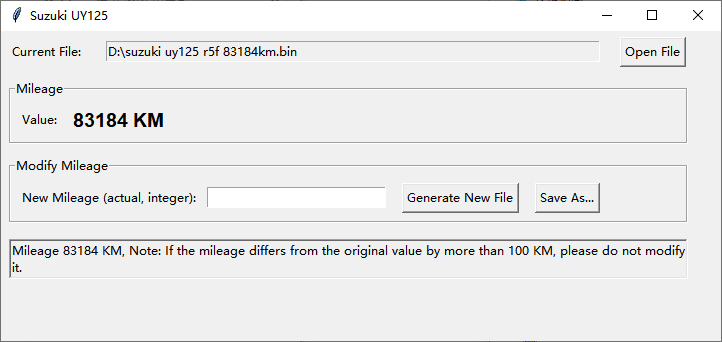
Use a compatible tool to read the normal .bin file from the instrument, then open or drag the saved file into Software 13.

Protect the original read

Save an untouched copy of the original BIN before generating any output. Confirm the displayed mileage, exact device marking and required file format for the instrument.

Browse all DataRepair software

Common questions

Compatibility, source-file and delivery details for Software 13.

Does this cover every Suzuki UY125 instrument?

No. This page describes the supplied UY125 R5F10 application. Confirm the complete device marking, instrument part number, file size and data source before ordering.

What file type does the interface use?

The supplied interface screenshots show BIN files. Confirm the required file size, reading method and exact supported data layout before processing your instrument data.

Does the software overwrite the original file?

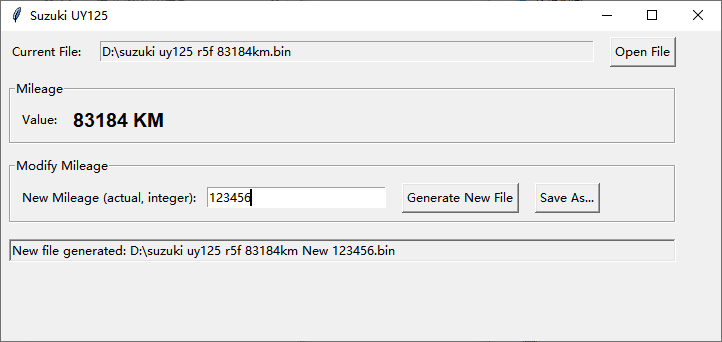
The demonstrated workflow generates a newly named BIN file and also provides Save As. Always keep a separate untouched backup of the original read.

Is there an annual or renewal fee?

The current store describes its unlocked software as permanent-use products. Contact us to confirm the current Software 13 price, licence and update terms before purchase.

How is it activated?

Download and open the software, copy the displayed PC code and send it to us. We provide the key for that PC. The activated software then works offline and remains usable until that PC is no longer usable.

Website analytics settings

Website analytics start automatically unless you have turned them off in this browser. You can turn analytics off or on here without affecting access to the website.

Privacy & cookies