
StoreSoftware 2

Yamaha TMAX 560 software

Offline Windows software for supported TMAX 560 instrument data files, including S6J336A and S6J336C variants.

Chip references
S6J336A / S6J336C
Windows software
Offline
No annual fee
Pay once

Permanent use on your activated PC. Subsequent software updates are free.

PC-bound activation. No licence transfer or reactivation support after changing computers or reinstalling Windows. Purchase details

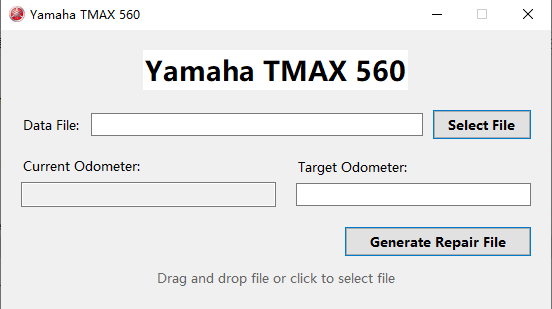
Yamaha TMAX 560 software with data file selection and repair file controls

Match the instrument and chip

The TMAX 560 references distinguish the Tech MAX and base-model instruments. Confirm the complete chip marking and board revision before ordering.

Chip referenceInstrument referenceWhat to check
S6J336ATMAX Tech MAX instrumentComplete MCU marking, physical package and instrument revision.
S6J336CTMAX base-model instrumentComplete MCU marking, physical package and instrument revision.

2025–2026 instruments: check before ordering

Workshop notes report read/write limitations on the tested newer instruments. A matching chip name or model year alone does not confirm support; send the instrument details and your programmer information for a check.

Read the newer-instrument notes

Instrument & wiring references

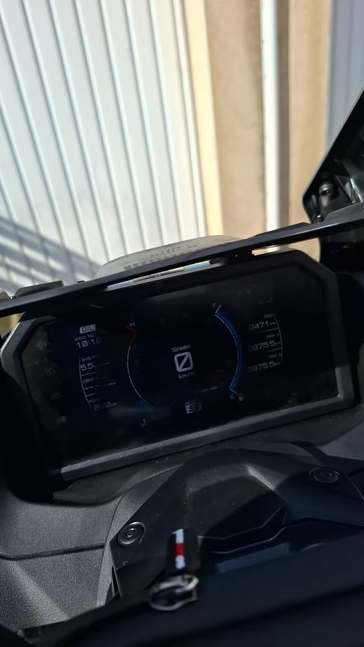
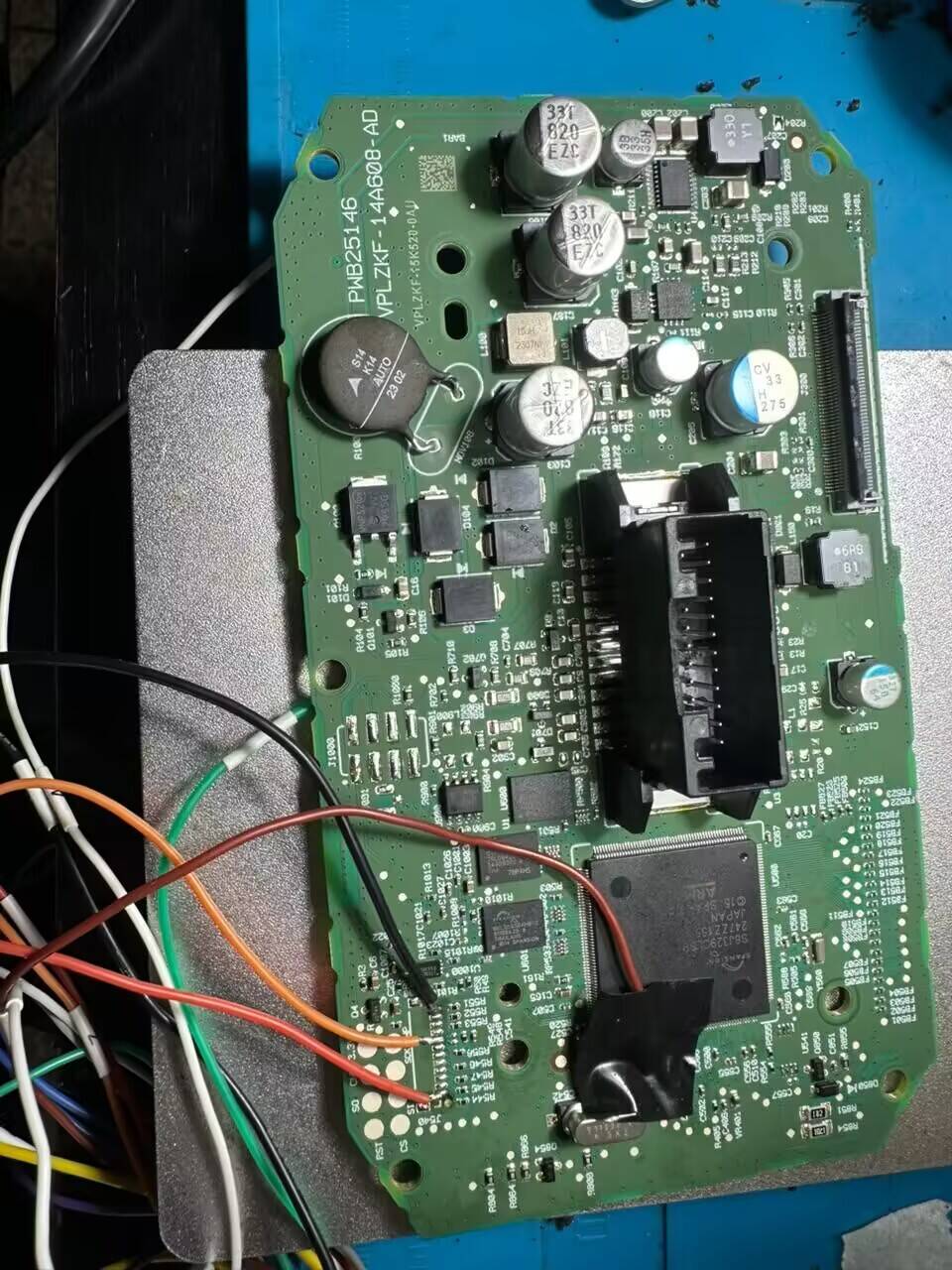
Compare your instrument with the photographs and board connection reference. The Blog contains the full-size images and chip notes for these examples.

Yamaha TMAX instrument mounted on the motorcycleTMAX instrument circuit board with programmer connection wires
Product overview

Working with TMAX data files

Software 2 works with supported TMAX 560 instrument data files on your Windows PC. A compatible hardware programmer is used separately to read and write the instrument data.

Prepare the instrument data

Keep an untouched copy of the original file. Confirm that the instrument, MCU and read method match the supported application before processing a file.

Use the dedicated TMAX interface

Select the instrument data file in the software and check the displayed reading against the instrument. The utility generates a repair file for the supported application; reading and writing the physical instrument remain separate programmer operations.

One-time purchase, offline use

After PC-bound activation, use the software offline with no annual fee. Continued use and subsequent updates are free. Contact us for the purchase price and current requirements.

A little more detail

Common questions.

Need help with a specific application? Include the details in your enquiry.

Which TMAX instrument versions are listed?

The product references associate S6J336A with the TMAX Tech MAX instrument and S6J336C with the base-model instrument. They also describe 144-pin and 176-pin configurations. Check the complete chip marking and actual board before ordering.

Does this cover all 2025 and 2026 TMAX instruments?

Year and chip family alone do not confirm compatibility. Published workshop notes report read/write limitations on tested newer instruments. Send the instrument revision, full MCU marking and programming device details for a compatibility check.

Do I still need a programmer?

Yes. This is Windows software for processing supported data files. You need a compatible programming device to read the original instrument data and write the resulting file. Confirm support for your exact hardware and data region.

Are wiring or instrument power-on diagrams available?

The TMAX Blog guide includes board connection photographs and chip references. These cover the shown examples; they are not a complete set of wiring or bench power-on diagrams for every TMAX instrument.

Is there an annual fee?

No. TMAX software is a one-time purchase with permanent use on the activated PC and free subsequent updates. Contact us for the purchase price.

How is it delivered and activated?

Download the software from the MEGA link supplied after purchase. Install it on the intended PC and send us the PC code. We provide the corresponding keycode for activation.

Can I change computers or reinstall Windows?

The software is PC-bound. Licence transfer and reactivation support are not provided after changing computers or reinstalling Windows. Choose your intended PC and operating system before requesting activation.

Direct product support

Let's confirm your application.

Tell us the vehicle, instrument and chip before you choose software.

Contact Pengs Data Repair

Website analytics settings

Website analytics start automatically unless you have turned them off in this browser. You can turn analytics off or on here without affecting access to the website.

Privacy & cookies